Gear Manager
Introduction
The Gear Manager provides a way to manage your personal gear: you can create, edit, delete, search, filter, and sort gears.
Gear Manager URL: Click here
1. Creating Gear
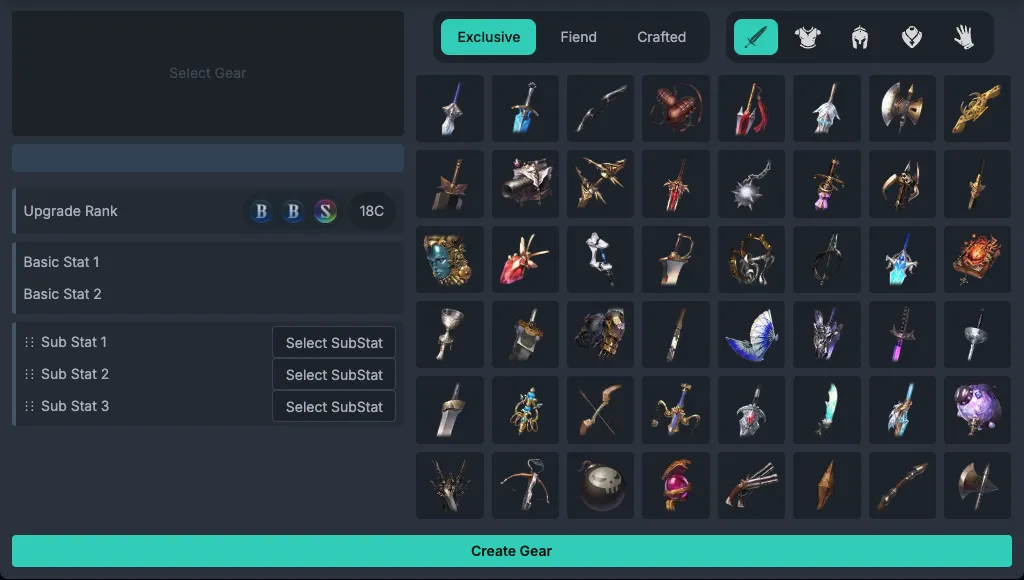
Click the 「New Gear」 button, choose a gear, then edit the following:
- Enhancement score (C value)
- Main stat (exclusive gear only)
- Substat configuration (can be reordered by dragging)
2. Managing Gear
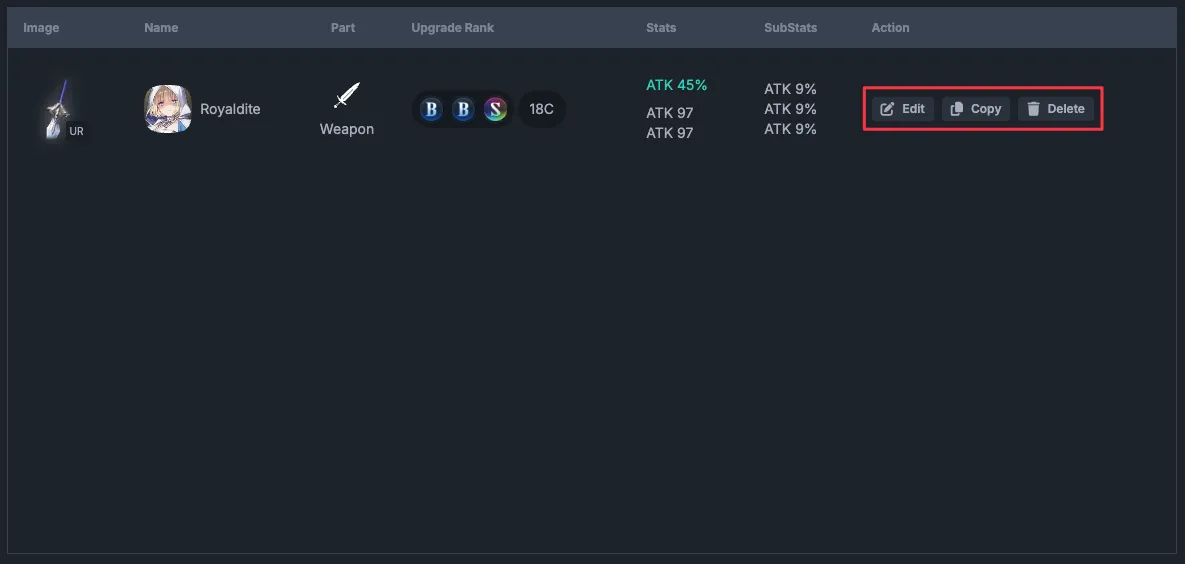
Edit: Click 「Edit」 to update gear information
Duplicate: Click 「Duplicate」 to quickly copy a gear (useful when you have similar gear with different substats)
Delete: Click 「Delete」 to remove a gear (this cannot be undone)
3. Filtering & Searching
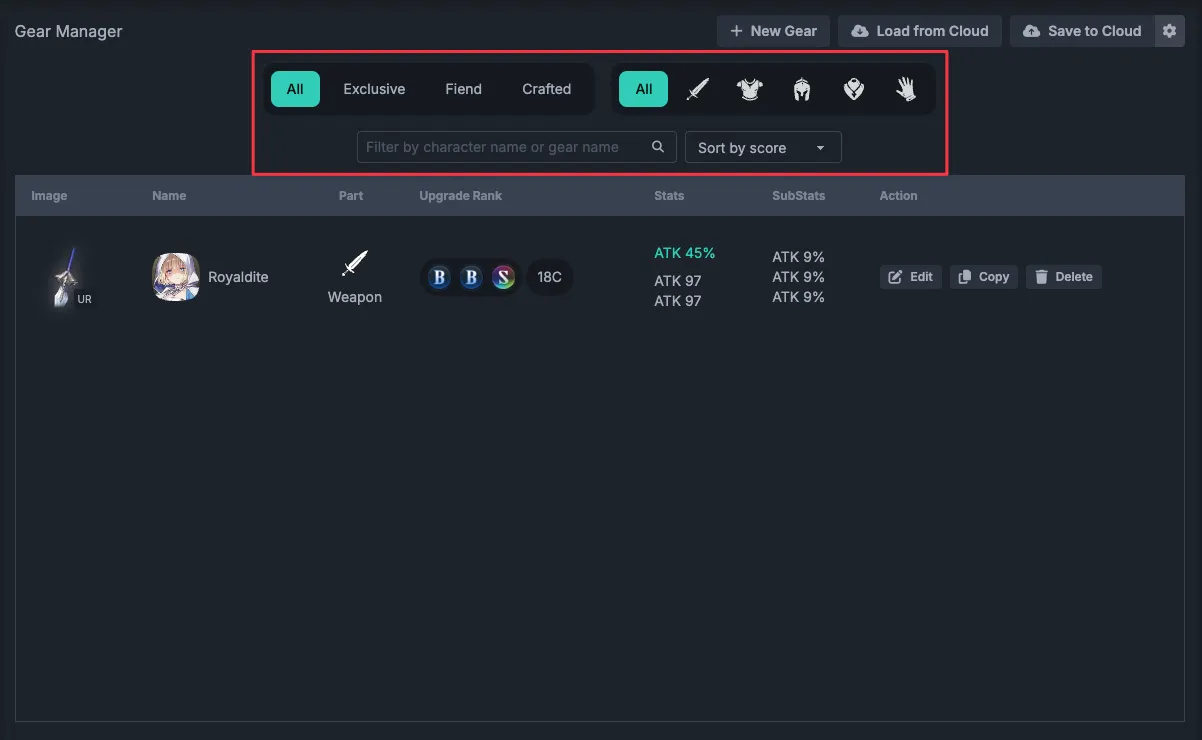
Type filter: All / Exclusive / Fiend / Crafted
Part filter: Weapon / Helmet / Armor / Gloves / Accessory
Keyword search: Search by gear name or character name
Sort by:
- Enhancement score (C value)
- Gear type
- Gear part
4. Data Storage
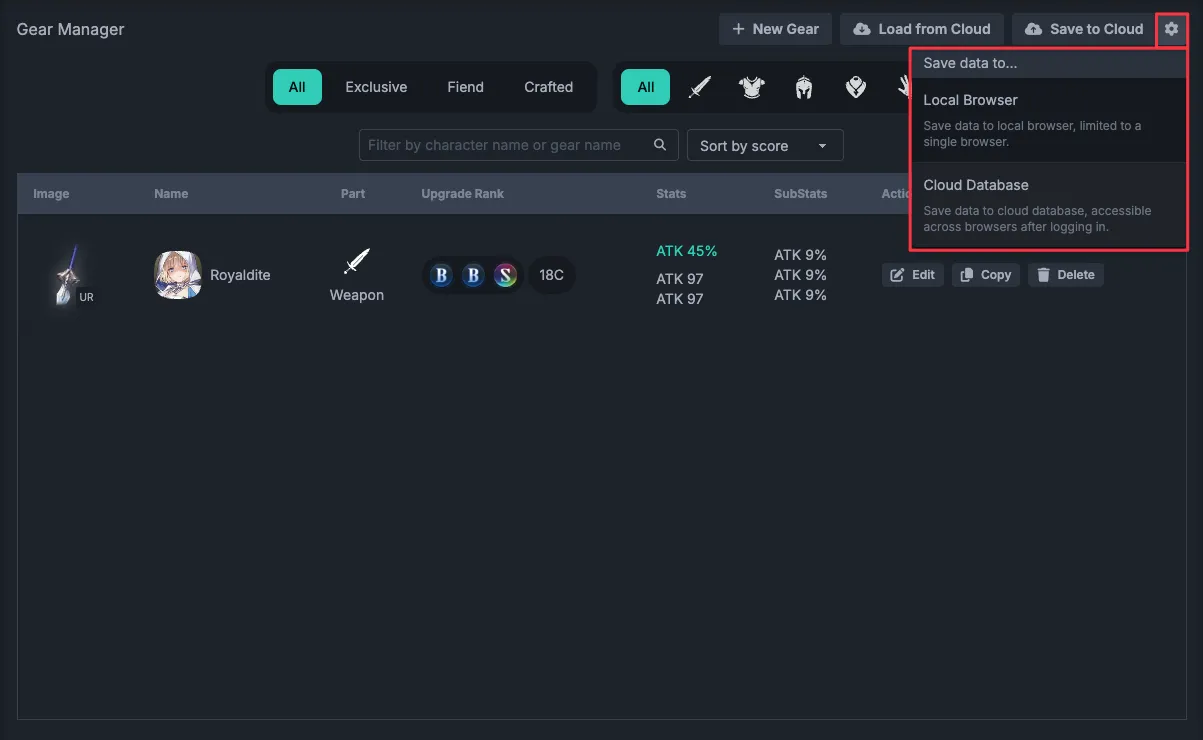
Local storage
- Automatically saved in your browser
- For use on a single device
Cloud storage (requires sign-in)
- Manually save to the cloud
- Sync between devices
- Loading from the cloud will overwrite local data
5. Gear JSON Import
If you have installed BrownDustX (BDX), you can use BDX's GearExport feature to export gear JSON from the game and import it into Gear Manager.
Gear JSON import guide: Click here
This feature fully replaces the current GearManager gear data with the gear successfully parsed from the imported JSON. Read the import rules and important notes in the guide before using it.
FAQ
Q. Will my gear data be lost?
A. Local data may be lost if you clear your browser cache. It is recommended to back up to the cloud regularly.
Q. Can I edit a duplicated gear?
A. Yes. Duplicated gear is treated as a completely separate gear entry.